

Video Color Grading
Why high quality video doesn’t look “natural” straight out of camera
The cleanest, most natural-looking footage almost always requires a color grade.
Here's why — in 2 minutes!
The moment you hit record,
Your camera makes permanent decisions
In standard mode, the camera locks in contrast, color, and brightness on the spot. If anything is slightly off — skin tones a little orange, a bright window behind someone — it can't be fixed later without looking like a filter was slapped on.
High contrast scenes suffer the most. Bright areas "blow out" to pure white. Dark areas are gone. That detail is gone forever.
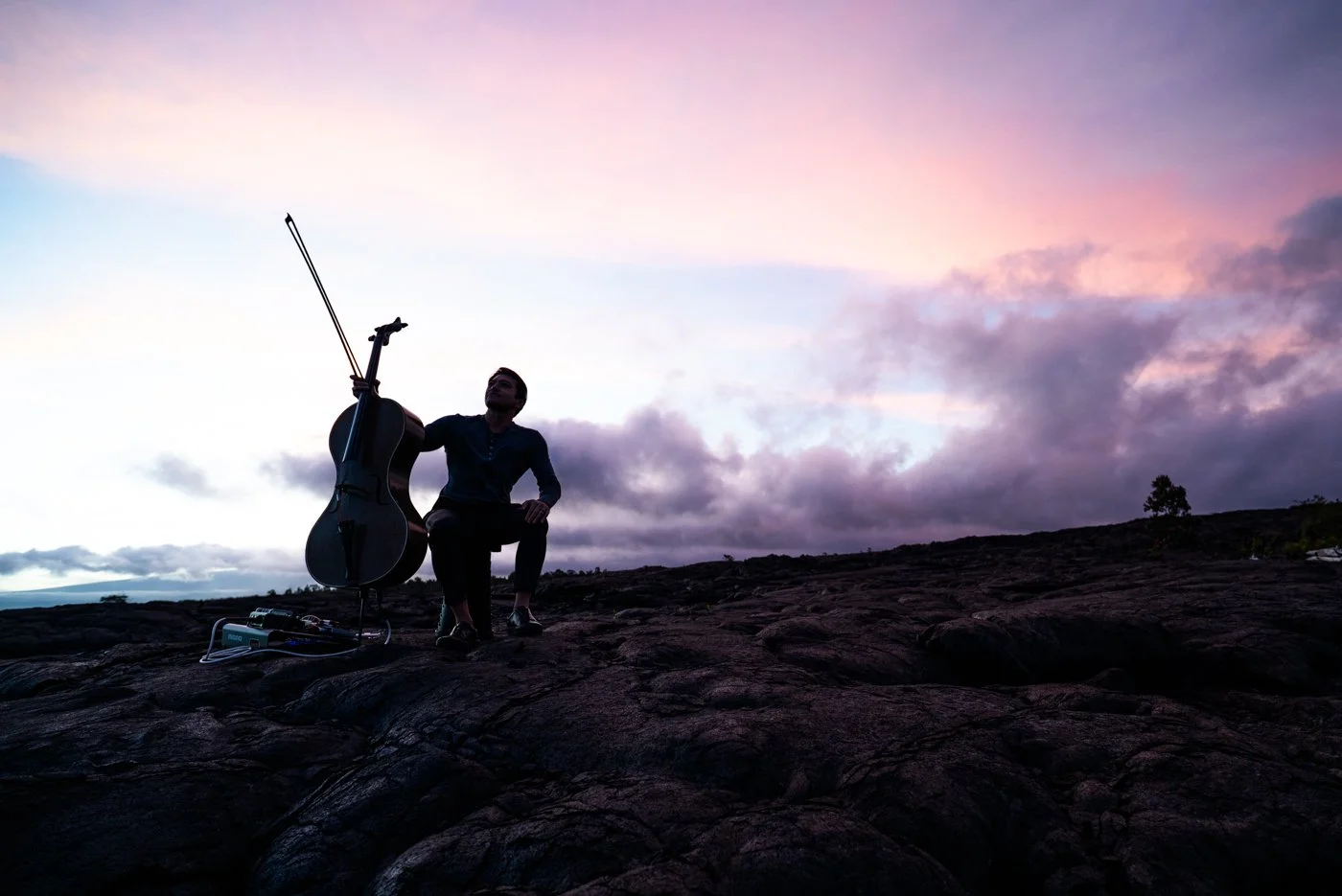
Brights and Darks are clipped. Every decision is permanent.
While the footage may look bad at first,
Flat color profile preserves options.
Shooting in a flat (aka “log”) profile tells the camera: don't decide anything yet — just save everything. The result looks washed out and dull. That's not a mistake. It means all the detail is still there, ready to shape in the edit.
A short color grade turns that dull footage into exactly the clean, natural look you're after.
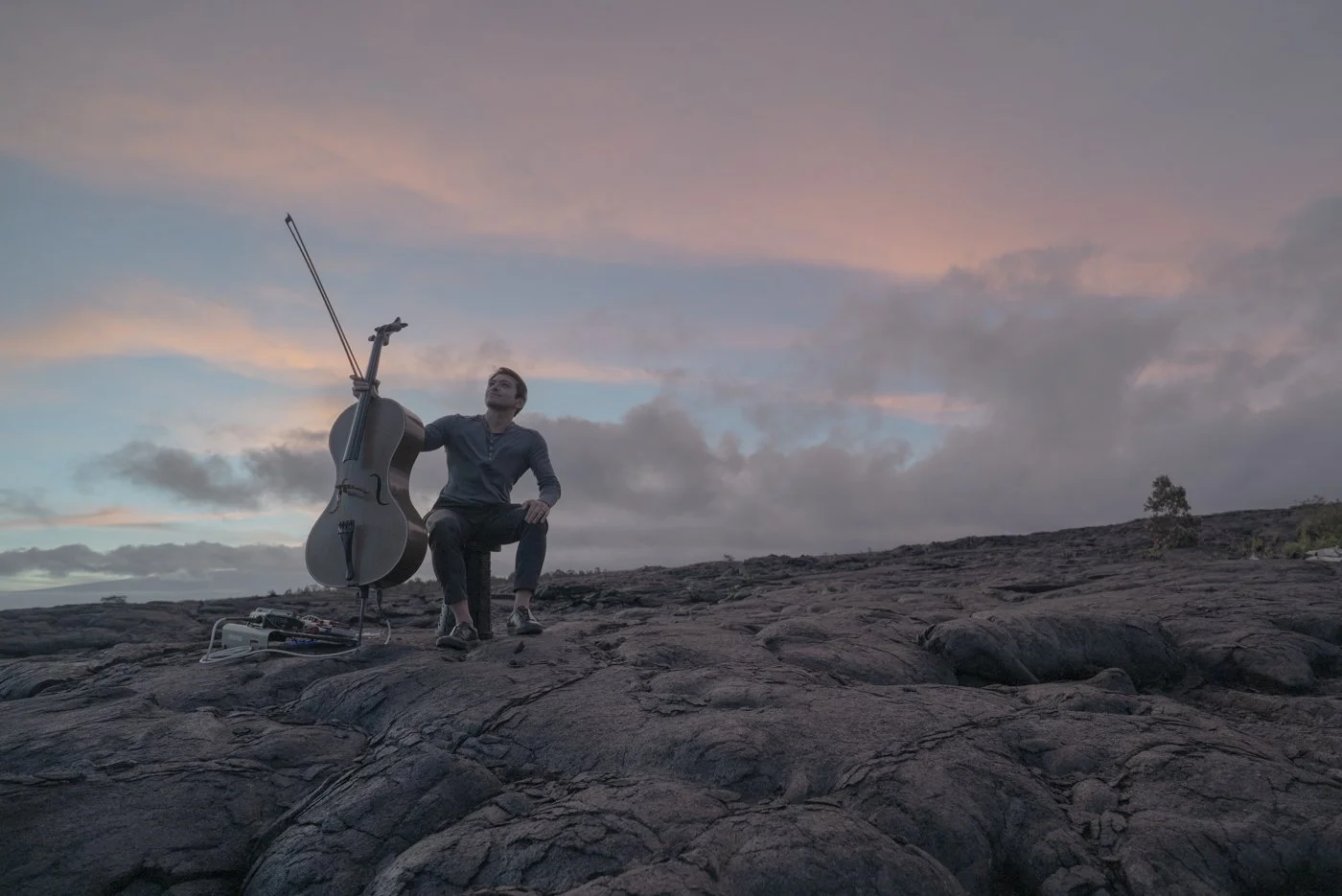
Flat profile, straight from camera, intentionally dull.

Same footage after short color grade for “natural” look
Natural look is the result of grading - not skipping it!
Now you can decide,
Your color profile choices
For most projects, somewhat flat + a short grade is the sweet spot — it's what gets you the natural, professional look without a massive post-production budget.
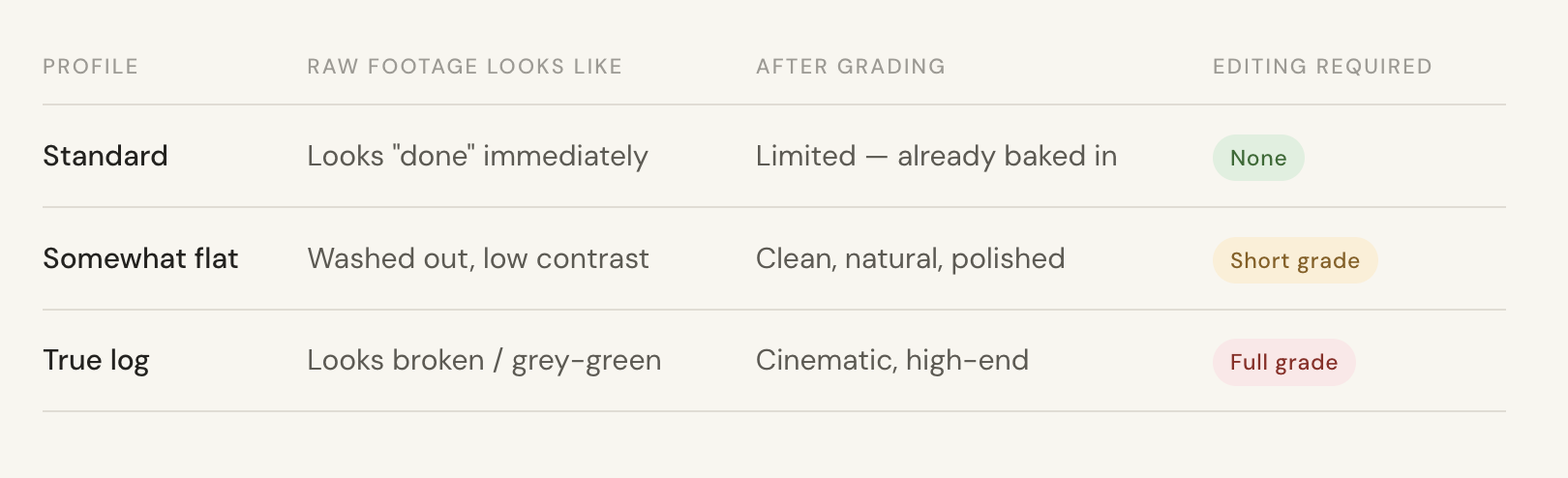
If I am editing, I will always shoot in flat/log. If I am handing footage off to you, you need to decide your editing team’s time investment vs. the footage’s future flexibility. Color grading is a true art with specialists on serious editing teams.
Questions? Let’s chat more before we start shooting!